Lens AI & Reverse Image Search
- 4.3
- Rating
- 10.00K
- Installs
- Free
- Price

 Analysis by App-foxy
Finding one particular photo on a crowded phone can be surprisingly difficult. I have often remembered what an image showed but not when I saved it, which folder it entered, or what its filename was. Lens AI & Reverse Image Search is built around that problem: it is a productivity app from HEYOS that focuses on photo search and searching by image, with the store presenting it under the short name Lens AI.
My first impression is that the concept is easy to understand. Instead of forcing me to browse every album manually, the app gives me a more visual way to look for something. That makes it appealing for people who collect screenshots, receipts, reference pictures, product images, or family photos and later struggle to remember where each one went.
The app is free to install and carries an Everyone content rating, so it is approachable for a broad audience. Its average rating is 4.3 from around 1.6 thousand ratings, while the app has passed 10 thousand installs. Those figures suggest a modest but real user base rather than a long-established mainstream tool. I tested it with an accessibility-minded eye, paying attention not only to whether the search idea works, but also to how comfortably different people can navigate it in everyday situations.
You May Also Like

 AccuWeather: Weather Radar
AccuWeather Review: A Quick, Clear Forecast for Everyday Decisions
For everyday plans, the best forecast is the one you can understand quickly. AccuWeather makes rain timing, radar, and local conditions easy to act on, with a few trade-offs.

 Hill Climb Racing
Why Hill Climb Racing Still Turns Crashes Into One More Run
A tiny car, a bumpy hill and one more upgrade: Hill Climb Racing keeps resurfacing because its simple chaos makes every near-miss feel personal.

 AliExpress - Shopping App
AliExpress Makes Global Shopping Feel Personal, but Shoppers Bear the Risk
AliExpress turns a global marketplace into a pocket-sized discovery engine. Its reach is useful, its shopping loop compelling, and its trade-offs easy to miss.

 Lords Mobile: Kingdom Wars
Lords Mobile Is a Kingdom-Building Routine, Not a Quick Match
A case-by-case verdict on the building, battles, device demands, and social commitments that make Lords Mobile rewarding for some players and exhausting for others.

 PDF Scanner app - TapScanner
TapScanner Makes Paperwork Easier to Capture, Check, and Share
TapScanner makes scanning with a phone feel less like a rescue operation and more like a dependable step in getting work done. Its capture tools are useful, though not flawless.

 Block Blast!
 Shows How Much a Puzzle Game Can Leave Out
A quiet grid game shows why puzzle players increasingly value instant clarity, repeatable skill and low-pressure play—and where the genre still needs to catch up.
More From Our News Desk
View All News


How the search experience feels to use
I find the most useful way to judge a visual search app is to look beyond the first few intriguing matches and ask whether it helps with a task I actually repeat. In this section, I’m focusing on the small choices that can make an image search clearer or less dependable, such as which picture I start with and how I judge what comes back. That practical view leads naturally into the question of whether the habit lasts.
Readability and navigation
The main strength is the directness of the task. A photo-search tool should not make me learn a complicated filing system before I can begin, and Lens AI & Reverse Image Search generally makes sense as soon as I open it. The purpose is visible in the name: I can search through images or use one image as the starting point for another search.
That clarity matters for people who find dense productivity apps tiring. A simple visual route is easier to follow than a series of nested menus, especially when I am in a hurry. If I am standing in a shop and want to compare an item with a picture already saved on my phone, a focused image-search workflow is more useful than opening a general notes app, a file manager, and several folders in sequence.
I also see value for users who do not naturally organize their galleries. Many people rely on the phone’s automatic camera roll and rarely rename files or create albums. In that situation, traditional folder browsing becomes a memory test. Searching from an image changes the question from “Where did I put this?” to “What does this look like?” That is a meaningful difference for anyone who thinks visually.
For readability, the best approach is to treat the app as a focused tool rather than a full photo-management replacement. I would not expect it to replace a gallery’s timeline, album controls, or editing functions. Its usefulness comes from narrowing the search problem, not from managing every part of a digital photo library.
People with limited vision may appreciate a visually oriented search idea, but the practical experience depends heavily on how clearly the interface presents labels, controls, and results on their particular device. I would increase the system text size before relying on it regularly and check whether the most important actions remain easy to identify. That is a sensible adjustment for any app where the user must choose an image and interpret visual results.
For users with cognitive disabilities, the limited purpose can be an advantage. There are fewer competing reasons to open the app, so the mental load is lower than in a broad file-management application. I find that especially helpful when I am trying to complete one small task, such as locating a reference image for a message or checking whether a saved picture matches something I have just seen.
Motor and sensory considerations
Image search is naturally suited to people who prefer tapping and visual selection over typing long filenames. A person with limited dexterity may find it easier to choose a picture from a gallery than to enter a precise description. That said, image selection can still require accurate touch input, particularly when thumbnails are close together or when several similar pictures appear side by side.
My practical advice is to use the app with the phone held steadily and to avoid rushing through the selection screen. The fastest tap is not always the best tap when the images look alike. If a user has tremors or difficulty with fine motor control, a larger display or a device’s built-in touch accommodations may make the process more comfortable. The app itself should be judged alongside those system settings rather than in isolation.
For users who are deaf or hard of hearing, a visual search workflow is potentially convenient because its core task does not depend on spoken instructions. I would still want every important result and action to be understandable on screen. For users with photosensitive conditions, the safest approach is to be aware of the phone’s brightness and display behavior while browsing image-heavy results. I would not choose any visual search tool as a distraction-free option while walking, driving, or handling equipment.
People with color-vision differences may encounter difficulty if the interface or image results rely on color alone to distinguish states. The safest habit is to look for text, shape, or position cues as well as color. When comparing photos, image content itself may also be ambiguous: two objects can look similar even when their colors are different. That is a limitation of visual matching, not something a simple search label can completely solve.
One non-obvious benefit is that reverse searching can reduce the amount of typing needed from users who find keyboards uncomfortable. Instead of composing a detailed description, I can begin with a picture. This is useful for a photographed product label, a plant, a piece of furniture, or an unfamiliar object. The trade-off is that the starting image needs to be reasonably useful; a dark, cropped, blurry, or cluttered photo gives the search less to work with.
Situational access in everyday use
My clearest everyday use case is shopping. Imagine taking a screenshot of a lamp or backpack in a social media post, then later wanting to identify the same design or find visually similar options. A normal gallery can show me the screenshot, but it does not necessarily help me search from what the screenshot contains. Lens AI & Reverse Image Search is more relevant because the image itself becomes the query.
Another useful situation is dealing with screenshots that have lost their context. I regularly save an image because it seems important and then forget which conversation or webpage produced it. A reverse image workflow can help me reconnect with the subject without remembering the original source. I would still verify any result carefully before trusting it, especially when the image concerns a purchase, a health question, or an important document.
The app can also help students and researchers who work with visual references. A photographed diagram, artwork, historical object, or design detail may be easier to investigate through an image than through a vague text search. For accessibility, this can be helpful when describing an object in words is difficult. It can also support someone who communicates more comfortably through pictures than long written explanations.
However, I would not treat it as an automatic answer machine. A reverse image result may lead to similar-looking material rather than the exact original. That distinction matters for schoolwork, fact-checking, shopping, and identifying unfamiliar objects. My workflow is to use the app for discovery, then compare several visible details and confirm the information elsewhere before acting on it.
Situational access also includes the moment in which the app is used. On a small phone, outdoors in bright light, tiny visual differences can be harder to notice. In a noisy environment, a visual workflow may be preferable to voice-based search, but glare can create the opposite problem. At home, with a larger screen and more time, the same task feels much easier. The app is therefore most useful when its visual strengths match the conditions around me.
For people who share devices or assist relatives, the straightforward purpose may make demonstrations easier. I can explain the workflow in practical terms: start with the saved picture, inspect the result, and decide whether it answers the question. That is less intimidating than teaching someone a large organizer with many unrelated features. Still, I would supervise the first few searches so the person understands that visual similarity is not the same as certainty.
Where it fits beside ordinary alternatives
The usual alternative is the phone’s built-in gallery. A gallery is better for browsing by date, album, or recent activity, and it is usually the fastest choice when I already know roughly when a photo was taken. Lens AI & Reverse Image Search becomes more interesting when I do not know the date or folder and want to search based on the image’s appearance.
A general web search is stronger when I can describe the subject precisely in words. If I know the exact model name, brand, or phrase printed on an object, typing may be quicker and more precise than starting with a photo. Reverse search earns its place when I do not have the vocabulary, when the object is unfamiliar, or when the visual details are more informative than a sentence.
Dedicated file managers are preferable for people who need reliable folder control, batch organization, or a clear storage hierarchy. This app is not the right choice for someone whose main goal is to rename thousands of files or maintain a carefully structured archive. Its focused search idea is valuable, but it should complement a gallery or file manager rather than replace one.
Visual search can also be more inclusive than text-only search for users with dyslexia, limited literacy, or language barriers, because the initial action can begin with an image already on the device. The results still need to be readable and understandable, so this is not a complete solution for every user. It is better described as removing one barrier at the starting point.
Remaining barriers and practical trade-offs
The biggest barrier is that the app’s usefulness depends on visual input. If I have no suitable image, the experience may offer less value than a conventional text search. The same is true when the photo contains several objects, when the subject is partly hidden, or when the important detail is written in tiny text. I would crop a busy picture before searching when possible, because isolating the subject gives the task a clearer starting point.
Privacy is another consideration whenever personal photos are used for search. I would avoid casually uploading images containing passports, private messages, children, addresses, or sensitive medical information unless I had first understood how the particular search works and felt comfortable with it. This is not a reason to dismiss the app, but it is an important habit for any image-based service.
There is also a learning curve in interpreting results responsibly. New users may assume that the first visually similar result is the correct answer. I recommend checking distinctive features such as shape, markings, text, and context. For shopping, I would compare the seller and product details; for research, I would look for an independent source; for personal photos, I would use the result as a clue rather than proof.
The free price makes trying the app easy, but in-app purchases range from $6.99 to $49.99 per item. That creates a clear reason to inspect the available limits and purchase screen before making the app part of a daily routine. I would begin with ordinary searches and decide whether the free experience genuinely solves my problem before paying for anything.
The developer is HEYOS, and the current version is 1.3.9. The app was released on December 3, 2025, and requires Android 8.0 or later. That relatively recent release context means I would pay attention to how consistently it behaves on my device, especially if I depend on it for accessibility-related routines. A tool that works well in one phone’s gallery flow may feel different on another screen size or Android skin.
People who need strong keyboard navigation, screen-reader-specific labeling, or highly predictable focus order should test the complete workflow rather than assume that a simple visual interface will meet those needs. The app may be comfortable for many users who prefer images and tapping, while still leaving important barriers for people who rely on non-visual navigation. That distinction is central: visual simplicity is not automatically the same as broad accessibility.
Who should use it and who should skip it
I would recommend trying Lens AI & Reverse Image Search if your phone is full of screenshots, product photos, visual references, or images whose filenames tell you nothing. It is particularly appealing when you often recognize something by sight but cannot describe it accurately in a search box. It can also be useful for family members who find folder systems confusing and prefer choosing a picture as the starting point.
I would be more cautious if you need a full photo organizer, a professional research database, or a tool that guarantees exact identification. The app is not a substitute for careful verification, and it is not the best fit for someone whose main workflow is text-based or file-based. Users with strict privacy needs should also decide in advance which images are safe to use.
My practical setup would be simple: keep the gallery for storage, use this app when visual searching is the missing step, crop distracting backgrounds when possible, and verify important results independently. That division of labor avoids expecting one focused tool to perform every photo-management job.
My inclusive verdict
After using it as a productivity aid, I see Lens AI & Reverse Image Search as a useful specialist rather than an all-purpose replacement for the phone gallery. Its strongest contribution is giving visual thinkers a direct route from an existing image to a new search. That can make everyday tasks less dependent on memory, typing skill, or knowing the right words.
Its accessibility story is promising in specific contexts but not universal. People who prefer visual selection, have difficulty describing objects, or find long text entry tiring may benefit immediately. People who need dependable non-visual navigation, extensive file controls, or certainty from every result should compare it carefully with more established alternatives.
The free entry point and Everyone rating make experimentation straightforward, while the purchase range means I would avoid committing before understanding my own usage. With sensible privacy habits and a willingness to verify results, I think it is worth trying for image-heavy searches. My recommendation is strongest for users who want a quicker visual starting point, not for anyone expecting a complete gallery manager or an unquestionable answer from one photograph.
In short, Lens AI & Reverse Image Search earns attention because it addresses a real frustration: knowing an image when the phone’s folders and filenames do not help. I would keep it alongside my normal gallery and use it selectively. For the right person and the right situation, that focused role can make searching feel more natural, more practical, and noticeably less demanding.
FAQs for Lens AI & Reverse Image Search
01What is Lens AI & Reverse Image Search used for?
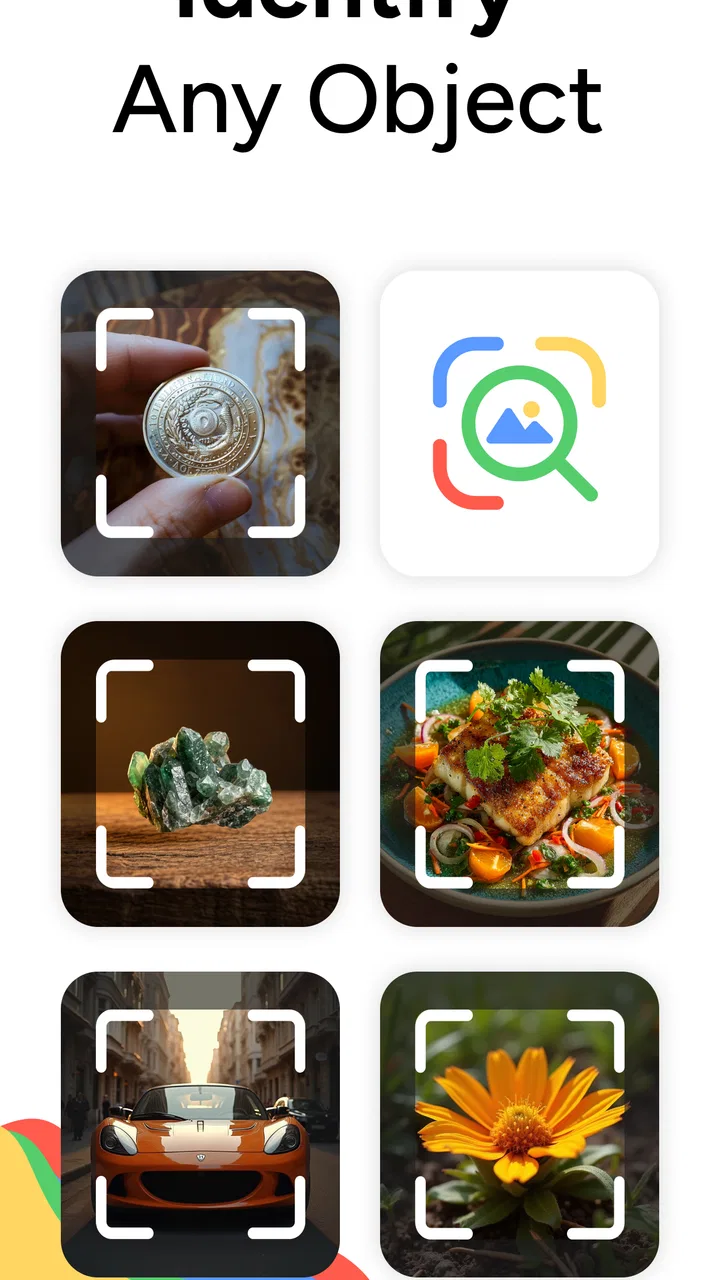
Lens AI & Reverse Image Search helps you identify objects, products, plants, animals, landmarks, and other visual content from a photo. You can take a picture with your camera or select an image from your gallery, then use the results to discover similar images, search for product information, recognize text, or learn more about what appears in the photograph. Results depend on image quality and available online data.
02How accurate are the reverse image search and AI recognition results?
The app can be useful for quick visual searches, but its results should not be considered perfect or professionally verified. Recognition accuracy may vary depending on lighting, focus, image angle, background details, and how common the subject is. Clearly framed photos usually produce better matches. For medical, legal, financial, or safety-related identification, you should confirm the information through reliable specialist sources.
03Does Lens AI & Reverse Image Search require an internet connection?
Most reverse image searches and AI-based recognition features generally require an active internet connection because the image must be processed through online search or cloud-based services. Some basic camera or gallery functions may remain available offline, but useful search results are unlikely without connectivity. Mobile data usage can also vary according to image size and the number of searches performed.
04Is my photo private when I use Lens AI & Reverse Image Search?
Before uploading personal or sensitive images, review the app’s privacy policy and the permissions requested on your device. Images may be transmitted to external servers or search providers to analyze them and return results. Avoid submitting confidential documents, private photographs, or images containing personal information unless you understand how they are stored, processed, and potentially shared.
05Is Lens AI & Reverse Image Search free to download and use?
The app may be available to download without an upfront charge, but certain features can be limited by advertisements, usage caps, subscriptions, or in-app purchases. Premium tools may include faster searches, expanded AI recognition, an ad-free experience, or additional search options. Check the current store listing carefully before subscribing, especially for trial periods and automatic renewal terms.
Pros
- Searches by uploading photos or using your camera
- Useful for identifying products
- places
- and visual matches
- Simple interface with quick image-analysis results
- Supports reverse searches across multiple visual sources
- Can help find similar images and shopping alternatives
Cons
- Results may vary depending on image quality and subject
- Some advanced features may require a subscription
- Image searches can use significant mobile data
- Privacy policies should be checked before uploading personal photos
- Occasional irrelevant or duplicated matches may appear

Lens AI & Reverse Image Search
Gallery